
MelonLoader
MelonLoader is a mod loader for Megabonk.
What is MelonLoader?
MelonLoader is a mod loader for Unity games. It works a lot like BepInEx but uses its own system to load and manage mods.
When you install MelonLoader, it adds files that let the game run custom code. Mods for it are called melons and are written as .dll plugin files. When the game starts, MelonLoader finds those files and loads them before the game fully runs.
It can also patch game code, show a console for logs, and handle mod settings.
So in short, MelonLoader is a framework that lets Unity games load and run mods safely without changing the main game files.
List of all mods that require MelonLoader
How to Install MelonLoader for MegaBonk
- Download the archive and start the program.
- Select MegaBonk in the list of games. If you don’t see the game in the list, select Add Game Manually:
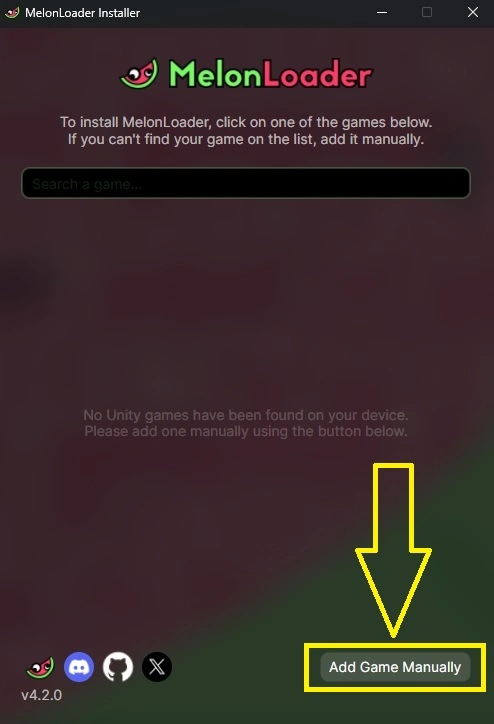
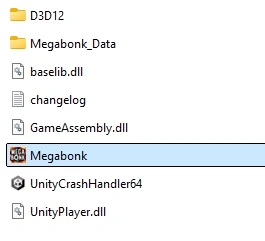
- Go to the game’s folder (usually Steam\steamapps\common\MegaBonk) and select MegaBonk.exe:
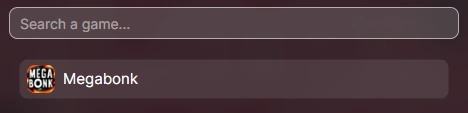
- Now you will be able to select the game:
- Click Install. We do not recommend to enable Nightly builds:
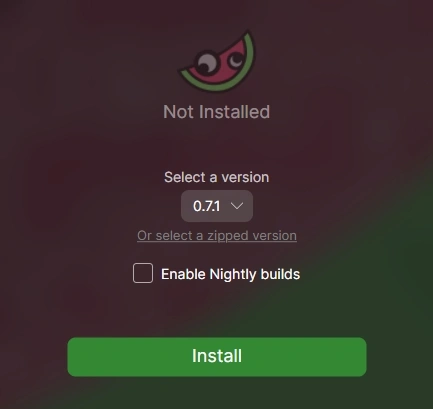
- Click OK after the installation is finished.
Where to put mod files?
To install a mod for MegaBonk using MelonLoader you have to put mod files into MegaBonk\Mods folder. The folder is created automatically after you have installed the program, if it didn’t happen – reinstall MelonLoader.
How to Uninstall / Reinstall MelonLoader?
To uninstall or reinstall MelonLoader:
- Start the program.
- Select the game.
- Click Reinstall or Uninstall:

Keep mods and settings: the program won’t delete any mod files and associated settings.


Thank You
when i open the installer it says updating loads and then closes