
In this guide you will learn how to install mods for MegaBonk using BepInEx or MelonLoader.
Before we start three things to remember:
- Disable uploading to leaderboard in MegaBonk. Go to Settings -> Game, scroll down and switch Upload Score to Leaderboards to Off:

Why? Because game might think you are a cheater if mods are enabled. - Some mods feature two versions to work with both mod loaders, while others support only one version (BepInEx or MelonLoader). Make sure you have downloaded the right version for the mod loader.
How to know which mod loader the mod file requires?
Next to the file name there will be the inscription BepInEx or Melonloader. Example: ToggleEverything BepInEx or ToggleEverything MelonLoader. - Don’t use both BepInEx and MelonLoader at the same time! Install only ONE mod loader.
Now let’s start with installing MegaBonk mods with BepInEx.
How to Install Mods for MegaBonk with BepInEx
- Go to BepInEx page, download the archive and unzip it to the game’s folder (MegaBonk).
- Start the game. You should see the console running:
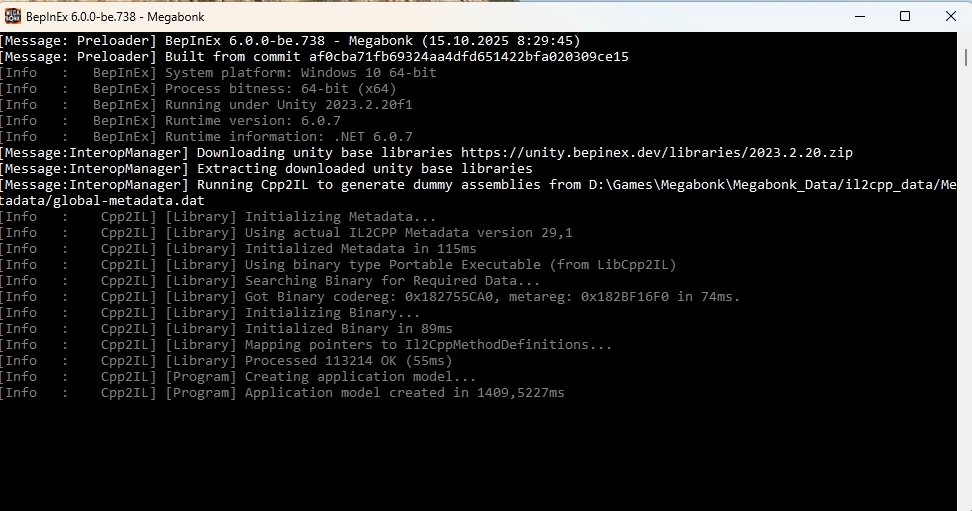
- Don’t close the window and let the BepInEx to download/update libraries. The window will close automatically (usually after a few seconds) and the game will start.
- Close the game and download any mod from megabonkmods.com.
- Unzip the mod archive to MegaBonk\BepInEx\plugins folder.
Notes:
- Mod configuration files are created in MegaBonk\BepInEx\config after the game launched with the mod enabled for the first time.
- To delete BepInEx, delete the following folders and files from MegaBonk folder:
- dotnet
- BepInEx
- winhttp.ddl
- changelog.txt
- doorstop_config.ini
- .doorstop_version
How to Install Mods for MegaBonk with MelonLoader
- Go to MelonLoader page, download the archive (Windows or Linux) and start the installation.
- Select the game from the list and wait for installation process to complete.
- Place mod file(s) to the newly created MegaBonk\Mods folder. Make sure you place .dll file(s) and not .zip.
Notes:
- To uninstall or reinstall MelonLoader, start the program, select MegaBonk and click uninstall or reinstall.